EV Charge-R is a native iPhone companion for Peblar EV chargers. Monitor live power data, switch smart charging modes, manage RFID tags, update firmware — all from a clean iOS interface.
Requires iOS 17 · Works on your local Wi-Fi network
5
Smart Charging Modes
5 s
Live Refresh Rate
100%
Local — No Cloud
Siri
Shortcuts Integration
See it in action
Beautiful, native iOS UI
Dashboard
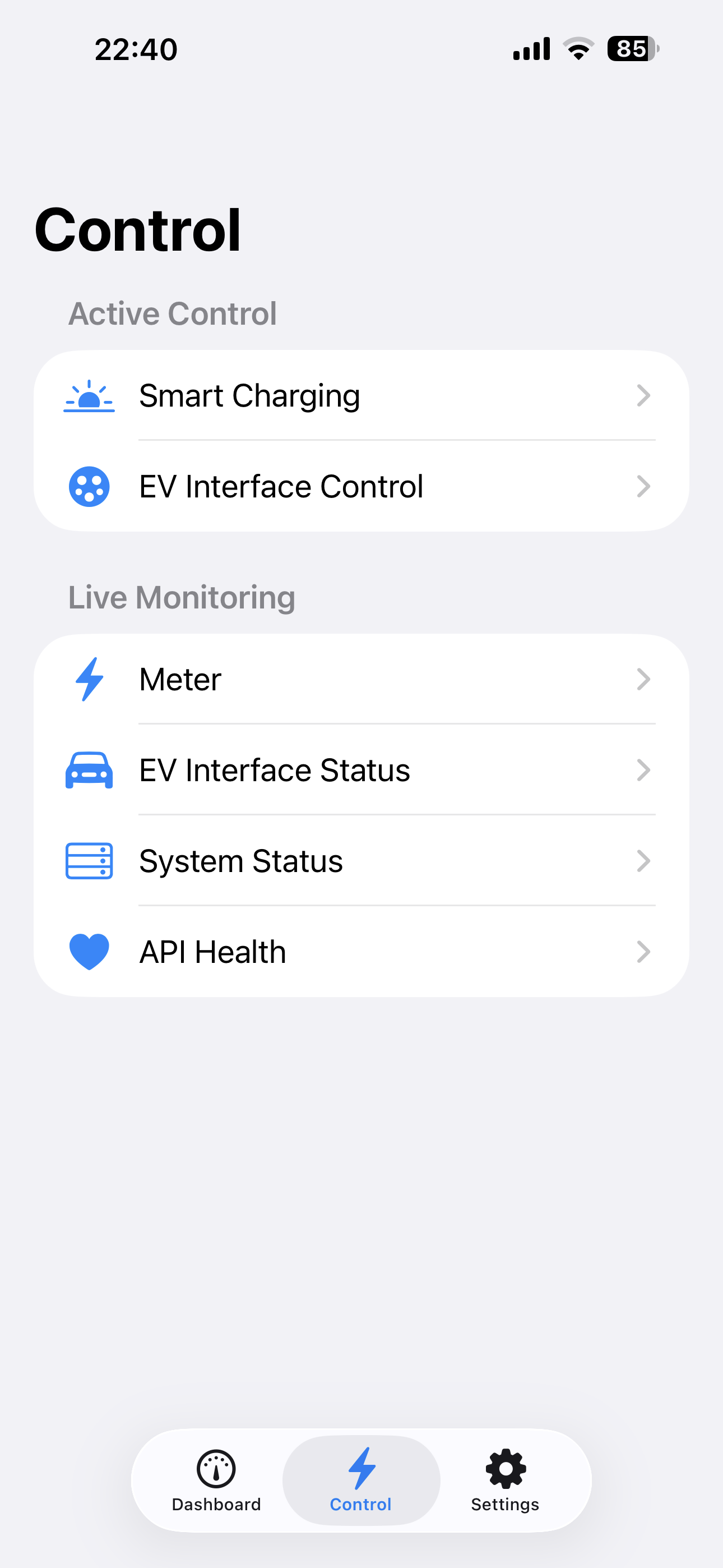
Control
Smart Charging
Settings
Everything in one place
Every feature of your Peblar charger
From the Dashboard to RFID tag management, EV Charge-R exposes the full API your charger ships with.
Live Dashboard
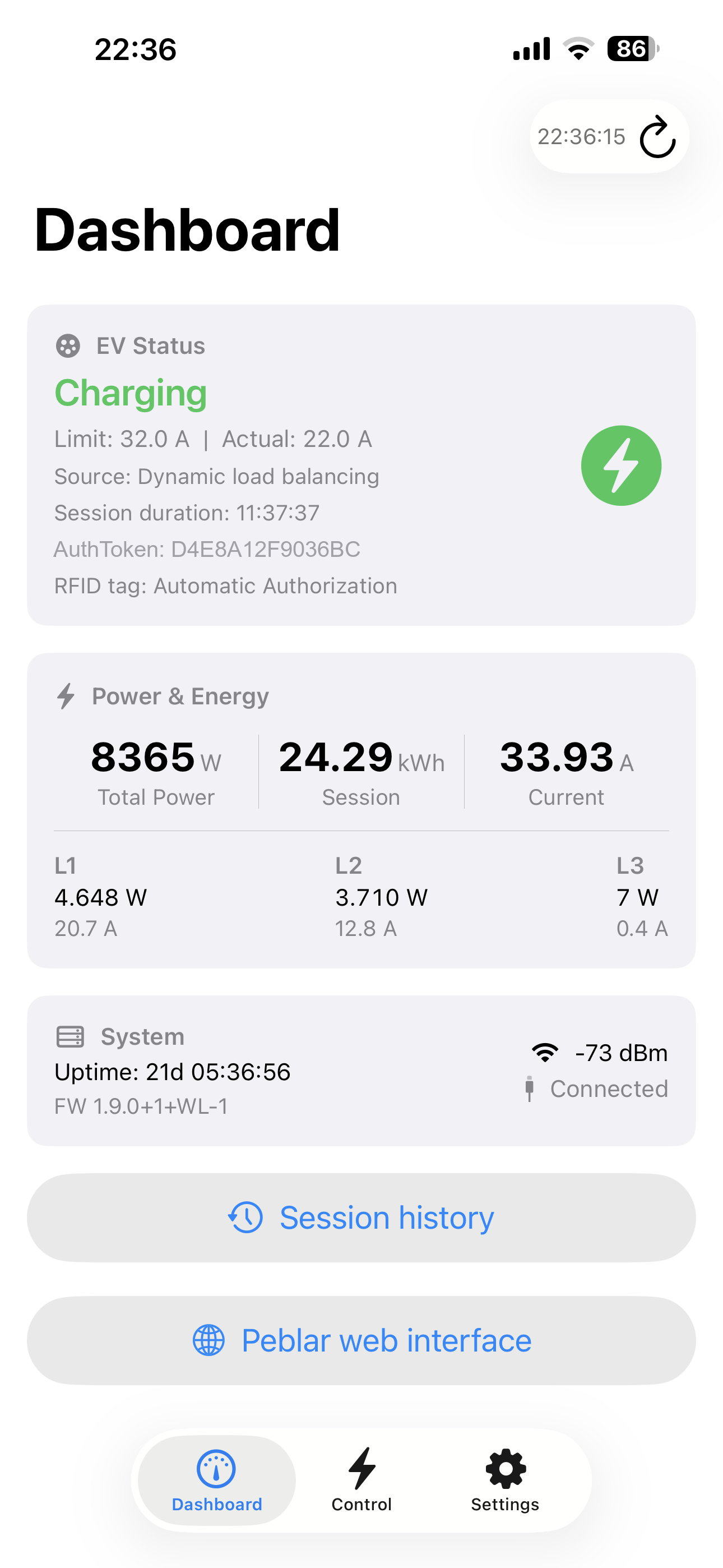
At-a-glance view of EV connection state, real-time power and energy, active error and warning codes, and signal strength — auto-refreshed every 5 seconds.
Current authorization
Right on the Dashboard: when a vehicle is connected, see the active auth token, the matching RFID tag name when it is in your list, and session duration — alongside power and status.
Session history
Load charging history for any date range. Browse per session (times, energy, auth) or switch to per RFID tag to see aggregates grouped by tag.
Network information & status
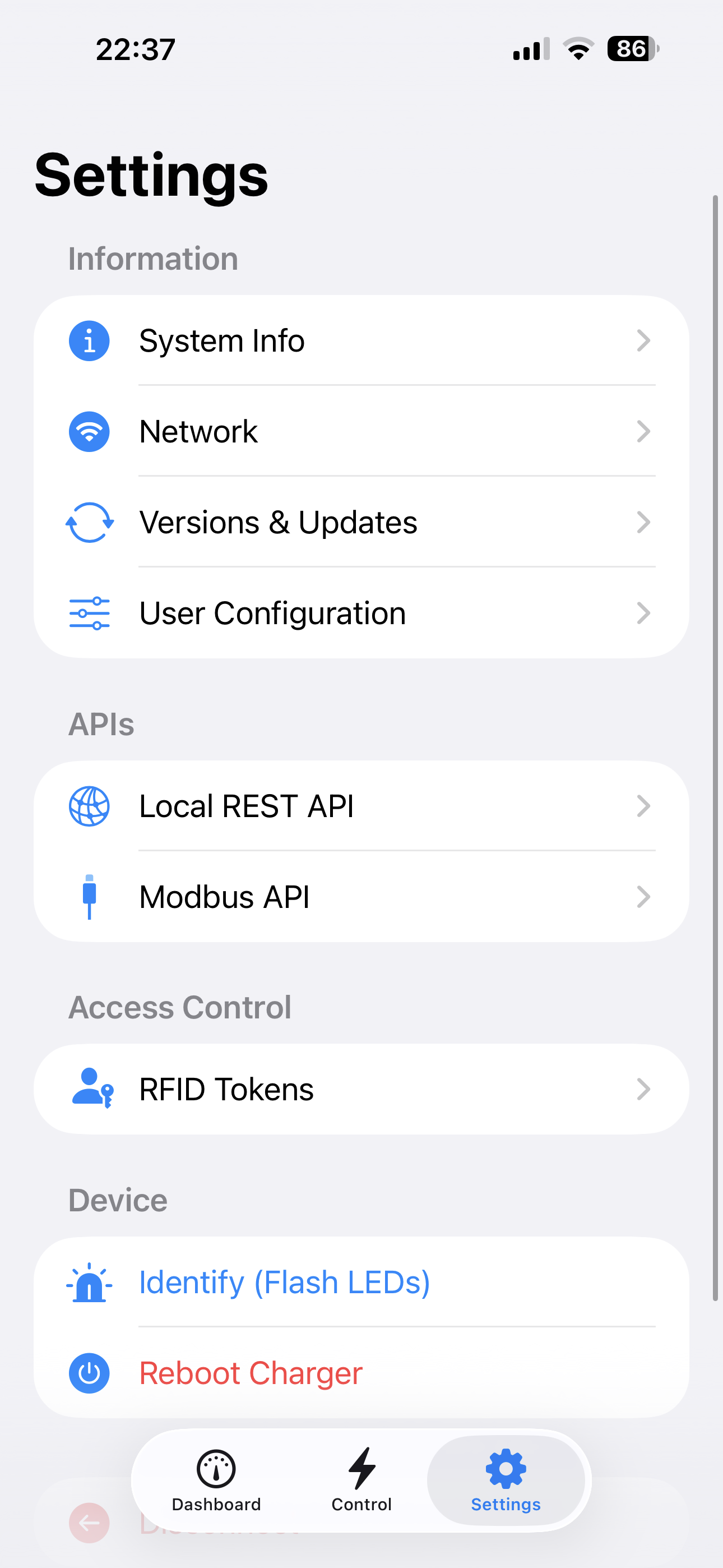
Full network configuration (DNS, Ethernet, Wi‑Fi, LTE, access point) in Settings, plus live link status on the Dashboard so you can see at a glance whether interfaces such as Ethernet are connected.
Smart Charging
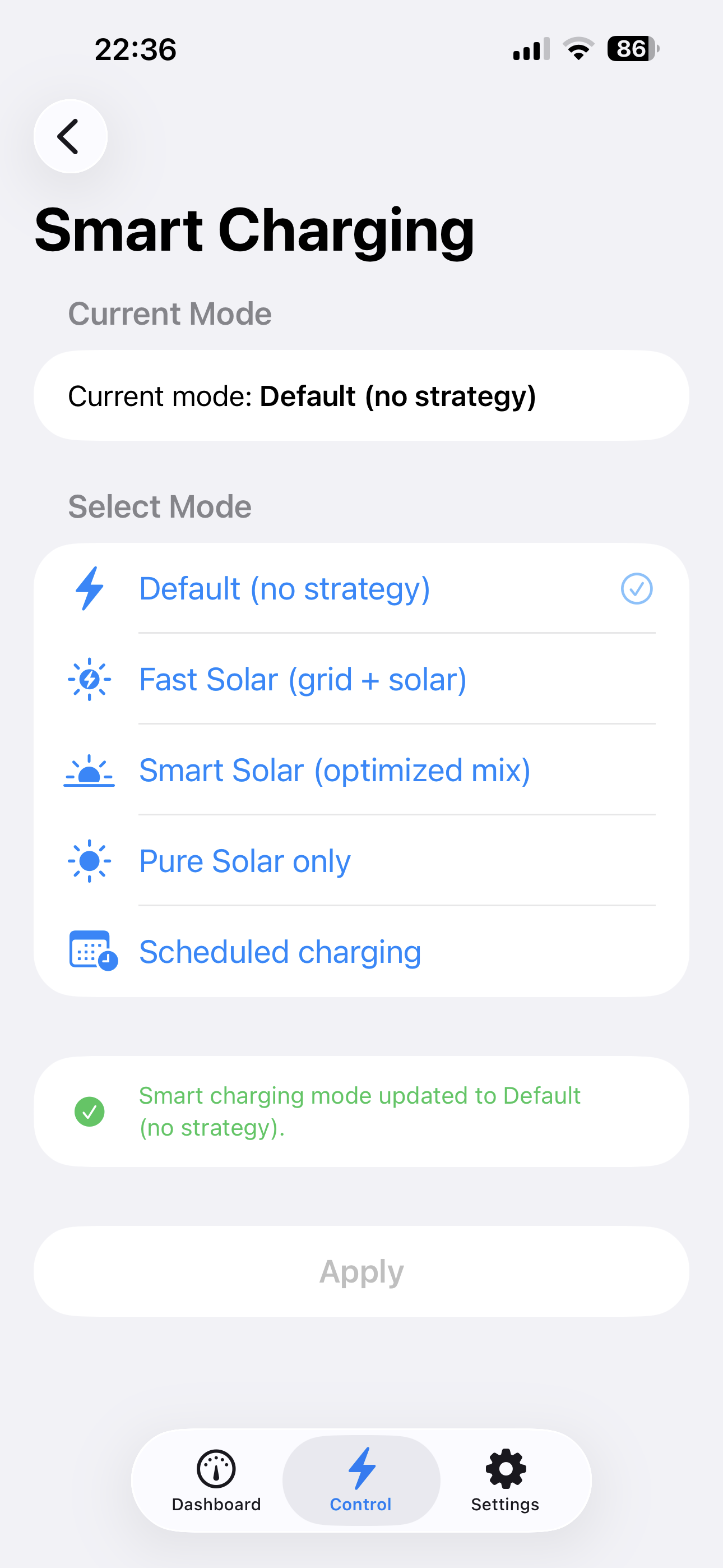
Switch between Default, Fast Solar, Smart Solar, Pure Solar, and Scheduled modes instantly. Each mode is also available as a Siri Shortcut.
EV Interface Control
Set the charge current limit in amperes via a slider, force single-phase charging, and see the exact CP state and limit source reported by the charger.
Meter Monitoring
Per-phase power, current, and voltage readings updated every 5 seconds. Session energy and total lifetime energy displayed in kWh.
System Status
Active error and warning codes, firmware version, uptime, Wi-Fi and cellular signal strength — everything on one screen.
RFID Tag Management
List all authorised RFID tags, add new ones by ID, and delete tags with a swipe. Control who can start a charging session at your charger.
Firmware Updates
Check current and available firmware and customisation package versions. Trigger over-the-air updates for both components directly from the app.
REST API & Modbus
Enable, disable, and switch between read-only and read-write modes for both the local REST API and Modbus integration. Copy or regenerate the API token.
Built-in Web Interface
Open the charger's built-in web interface in a full-screen browser without re-entering your password — the active session cookie is passed through automatically.
Auto-Discovery
Uses Bonjour/mDNS to find Peblar chargers on your local network automatically. No IP address needed — or type one in manually if preferred.
Keychain Security
Your charger host and password are stored exclusively in the iOS Keychain — never in iCloud, never in plain text. Credentials are restored automatically on relaunch.
User Configuration
View and edit all user-facing settings exposed by the charger: LED intensity, smart charging parameters, and more — with inline save confirmation.
Smart Charging
Five modes. One tap — or just ask Siri.
EV Charge-R exposes every smart charging strategy your charger supports. Switch modes from the app, or use the built-in Shortcuts and Siri integration to automate them.
Siri ShortcutsAutomationsHome Screen Widgets
Default
No smart charging strategy
Fast Solar
Grid and solar for fastest charge
Smart Solar
Optimised mix of grid and solar
Pure Solar
Solar energy only
Scheduled
Charge at scheduled times
Live Monitoring
Real-time data, every 5 seconds.
The Dashboard and Meter view refresh automatically so you always see what's happening — current draw per phase, session energy, CP state, firmware version, and error codes the moment they appear.
Your charger address and password are stored in the iOS Keychain, protected by the Secure Enclave on your device.
No cloud, no accounts
There is no backend, no telemetry, no analytics, and no account sign-up. The app talks only to the IP address of your charger.
Session-based auth
Login creates an HTTP session cookie valid for the duration of the session. The cookie is never written to disk outside of the iOS system cookie store.
Open source
Every line of code is publicly available. You can audit exactly what the app does before installing it on your device.
Requirements
What you need to get started
EV Charge-R works entirely over your home Wi-Fi network — no internet connection required once the app is installed.
iPhone running iOS 17 or later
A Peblar EV charger on your local network
Your charger's admin password
Wi-Fi on the same network as the charger (or manual IP entry)